Local file tools
Browse, read, search and write files in your existing project folders.


WINDOWS
Local files and commands for your AI client.
Connect your AI client to real Windows projects. Work with local files, run PowerShell commands and follow longer tasks through MCP.
The current version is available for Jan Desktop only. Support for additional AI clients is planned for future updates.
Windows 10 / 11 · 64-bit · Version 0.3 · EXE 3.39 MB
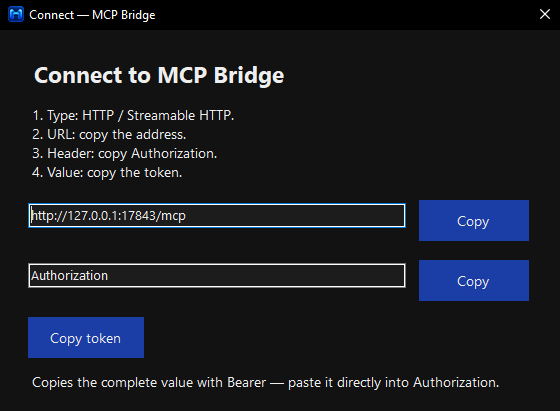
MCP Bridge brings local file tools and PowerShell tasks to your AI client while keeping context usage low. Leave more room for your conversation instead of filling the context window with lengthy MCP instructions.
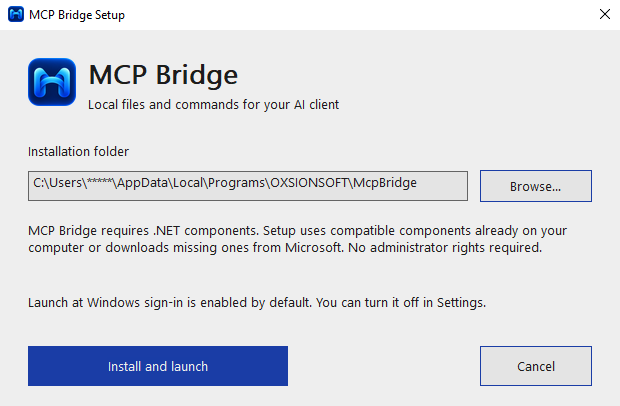
Setup reuses compatible .NET components or downloads missing ones from Microsoft. Tool selection depends on your model.
Browse, read, search and write files in your existing project folders.
Update text with source checks that detect changed or ambiguous content.
Run commands in a chosen folder and retrieve their output and exit status.
Start longer jobs, check their progress and stop them when needed.
Connect through authenticated HTTP on this PC, under your Windows permissions.
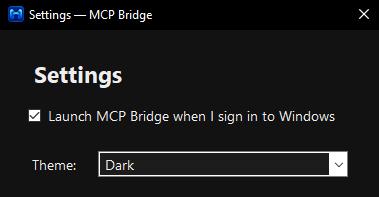
Manage connection, startup and light or dark themes from the system tray.
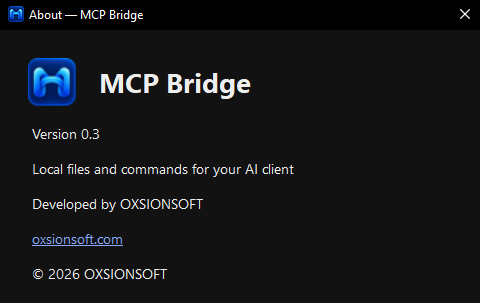
Current version
Supported platform
Automatic interface language
Light, dark or system theme
Connect your AI client to files and commands on your Windows PC, with task output you can inspect.
Windows 10 / 11 · 64-bit · Version 0.3 · EXE 3.39 MB